Summarize:


20 Best AR Automation Software Solutions in 2026
This article will explain what accounts receivable (AR) automation is, why it’s important, and rank the 15 best AR automation software in 2025, including Lunos, Growfin, and HighRadius, so you can choose the right platform to reduce manual AR tasks, gain insight into your cash flow, and ensure all payments are properly recorded. To learn more about AR automation software and how to streamline your financial workflow, visit the Lunos blog.


Quick Summary
This article will explain what accounts receivable (AR) automation is, why it’s important, and rank the 20 best AR automation software in 2025, including Lunos, Growfin, and HighRadius, so you can choose the right platform to reduce manual AR tasks, gain insight into your cash flow, and ensure all payments are properly recorded.
Here are our top 3 picks:
Want to Automate Your Outreach Workflow?
Business heads know that streamlining workflows and maximizing their teams' ROI potential is an ongoing battle. And one major hurdle is the time finance teams spend doing repetitive customer outreach tasks.
To solve this recurring issue, more finance leads are turning to the best AR automation software. These AI-coworkers take on those routine outreach tasks so your team can focus on more strategic work.
For finance heads looking to maximize profits and personnel, this Lunos guide will cover the top 20 AR automation software that will help you streamline your workflow.
But before we begin…
Why Listen to Us?
At Lunos, we understand how tiring and risky it is when finance teams are stretched to their limits chasing payments and customer responses after hours of brainstorming and problem-solving.
When finance teams are overworked, mistakes happen that can lose you customers and money. That’s why our platform helps businesses solve that exact problem by providing an AI coworker they can trust to handle those tasks with a blend of mechanical efficiency and human authenticity.
What is AR Automation?
Accounts Receivable (AR) automation is basically the use of software and digital tools to streamline manual tasks like invoice creation, payment collection, and customer outreach.
Ultimately, the aim is to simplify and speed up these tasks using AI, workflows, and integrations with either accounting or ERP systems. That, in turn, leaves your finance teams free to focus on more demanding tasks that contribute more to your total revenue. It also helps businesses improve customer experience and cash flow visibility while reducing error margins.
Why is AR Automation Important?
AR automation can have a direct effect on a company’s cash flow. When a company’s AR process runs smoothly, it gets paid faster, financial risks are significantly reduced, and more educated growth decisions can be made.
When your team has too much on their plate, manual processes can easily lead to missed payments and invoice mistakes. But AR automation makes sure those processes are carried out accurately and instantly. It also significantly increases cash collection times by sending scheduled reminders, offering easier payment options, and constantly tracking every invoice.
As your company grows, handling AR processes manually simply becomes unsustainable, and even traditional workflow-based automation starts to show its limits. Most legacy AR tools still rely on rigid rules and static processes. Today, a new category has emerged: AI in accounts receivable, where AI workers can understand context, adapt to customer behavior, and take initiative. Instead of just automating tasks, AI-driven systems like Lunos manage the entire AR cycle intelligently: prioritizing outreach, personalizing communications, and resolving exceptions, so you can scale not just your processes, but your decision-making power without increasing headcount.
Ranking Our Top 20 AR Automation Software
1. Lunos
Lunos tops our list of the best AR automation software because it isn't a single tool. It's a suite of AI agents that work across the full receivables lifecycle.
Collections, dispute management, cash application, payment orchestration, and AP portal uploads each run as a dedicated agent, sharing context and learning from every interaction. The result is one system covering work that normally requires a stack of point tools and a fully-staffed AR team.
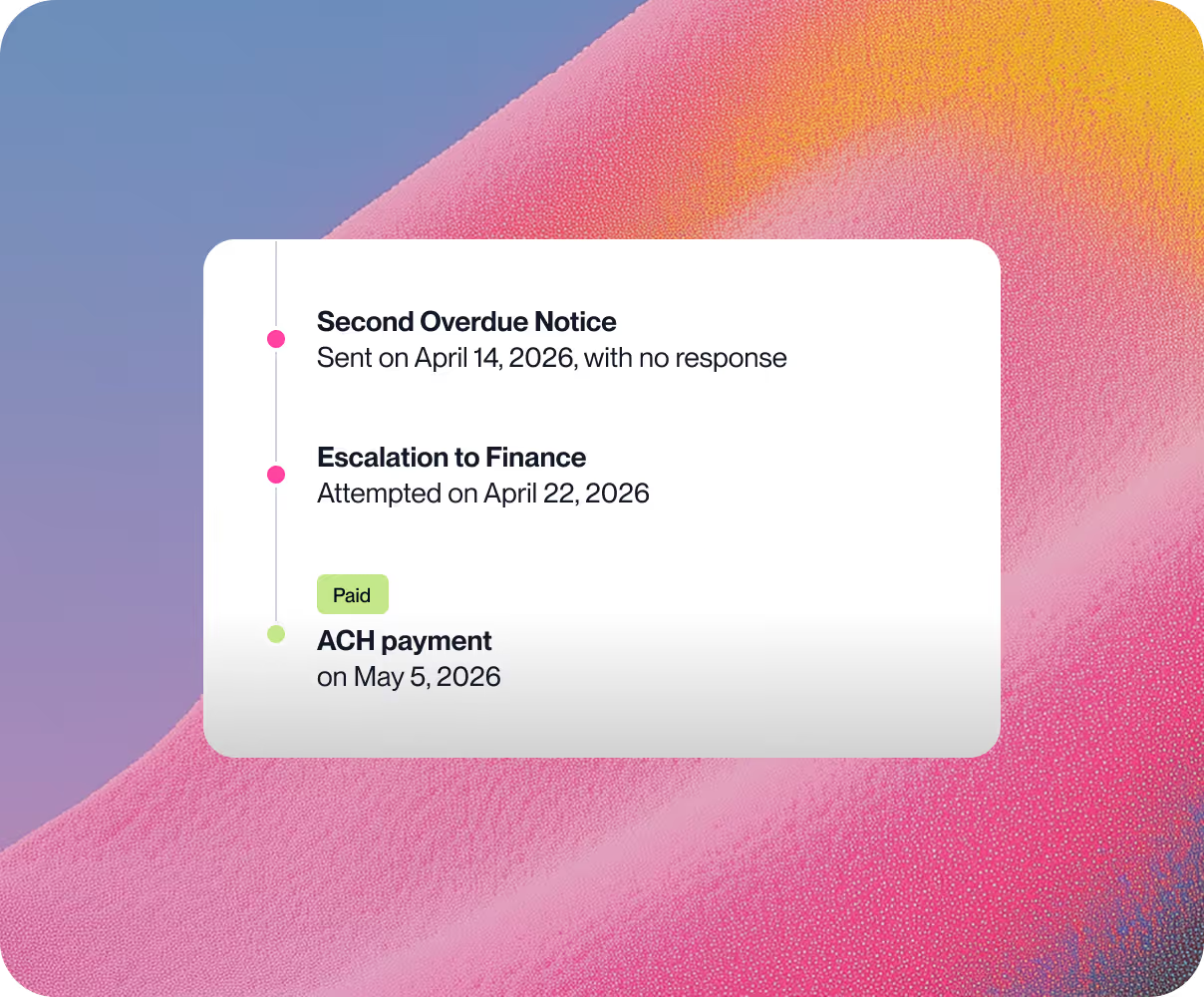
Where most AR tools fire the same canned email on day 7, 14, and 30, Lunos analyzes payment history, communication patterns, and relationship signals for every customer, then decides what to send and when. It reads replies, tracks promises, handles disputes, and escalates only when human judgment is needed.
Customers typically see a 10-60% reduction in overdue balances within the first month of full usage.
Key Features
- Five AI agents across the AR lifecycle: Collections, dispute management, cash application and reconciliation, payment orchestration, and AP portal uploads. Each agent works independently and shares context with the others.
- Two-way, human-quality conversations: The Collections agent runs personalized outreach via email, reads replies, answers customer questions, and escalates when needed. AI phone calls, letters, and text messages are on the roadmap.
- Dispute management agent: Detects disputes the moment they arrive, assembles full context from across your systems, and drives them to resolution so cash doesn't sit in limbo.
- Cash application that asks instead of guesses: Auto-matches clean payments, queries customers directly on ambiguous remittances, and syncs clean journal entries back to your ERP.
- Payment orchestration: Offers customers the full range of payment methods, onboards new payers onto the best rail, and migrates existing payers off slow or unreliable ones.
- Portal uploads agent: Detects how each customer wants to receive invoices and delivers them automatically (email, AP portal, or intake address) so your team stops doing unpaid labor for your customers' AP departments.
- Three autonomy modes, per customer: Monitor, Suggest, or Act. You set the control level for each account, so the AI runs as tight or as loose as you want.
- Ask Lunos anything: A built-in AR intelligence layer that answers questions like "what caused our DSO to change last month?" or "who's our most problematic customer?" without anyone scrambling to compile a report.
- Works from your existing stack: Native integrations with NetSuite, QuickBooks, Xero, Sage, Salesforce, HubSpot, Slack, email, and major payment providers. No rip-and-replace, setup in an afternoon.
Pricing
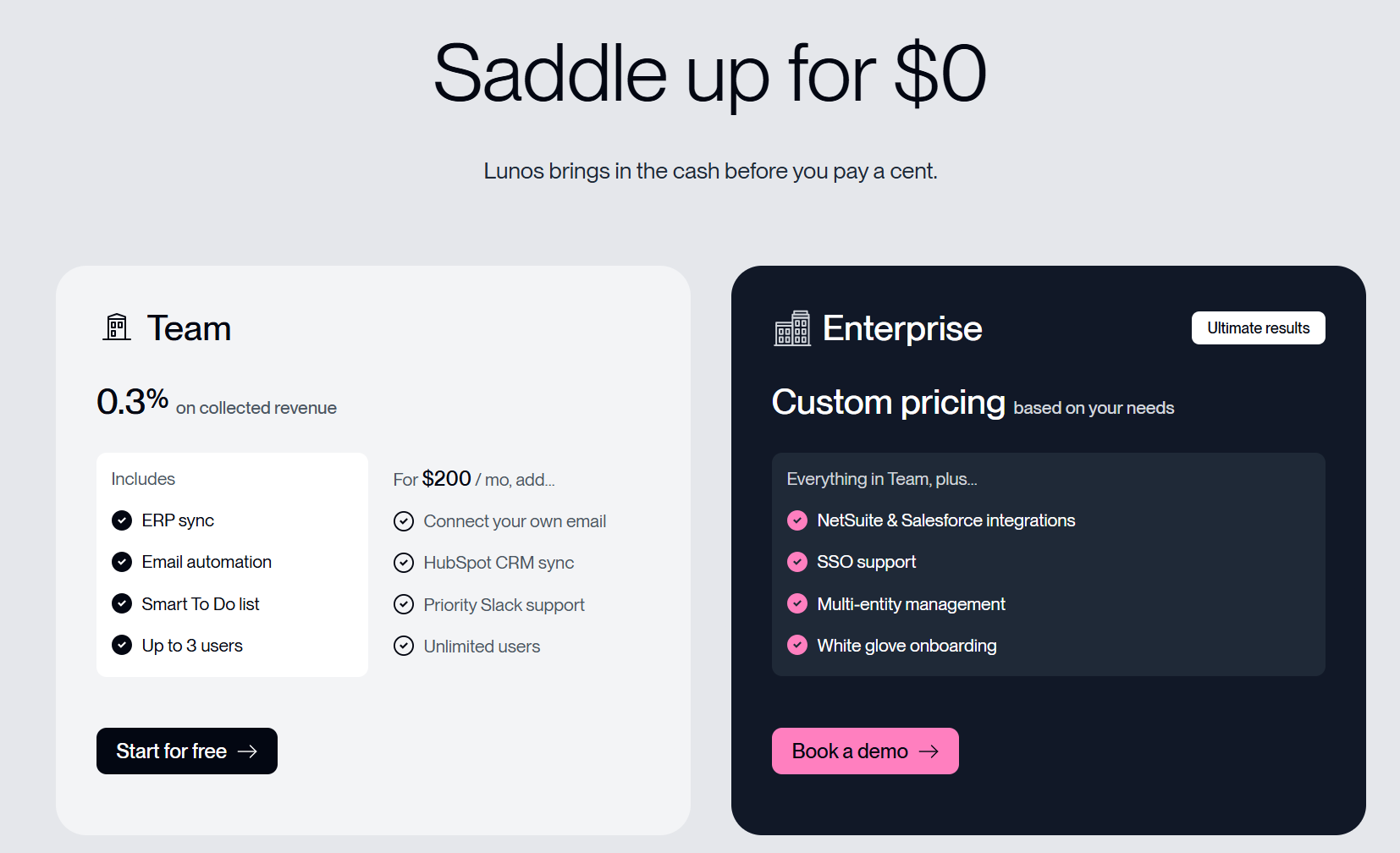
- Team (0.3% on collected revenue): Start for free, only pay when Lunos collects. Includes ERP sync, email automation, smart to-do list, and up to 3 users. For an additional $200/month, you can add your own email connection, HubSpot CRM sync, priority Slack support, and unlimited users.
- Enterprise (custom pricing): Everything in Team, plus NetSuite and Salesforce integrations, SSO support, multi-entity management, and white-glove onboarding. Best for larger organizations with complex AR needs.
Pros
- Full multi-agent suite covering collections, disputes, cash app, payment orchestration, and portal uploads
- Customers typically see 10-60% reduction in overdue balances in the first month
- Per-customer autonomy controls (Monitor, Suggest, Act) keep the team in charge
- Two-way conversations that read replies and track promises, not no-reply blasts
- Slack-native, so the team works where they already work
- Setup in an afternoon with no migration project
- SOC 2 compliant
Cons
- Implementing Lunos can be challenging if your company uses a non-standard, legacy, or heavily customised tech stack.
2. Growfin
Growfin is an AR management software that specializes in helping finance teams eliminate manual AR across billing, collections, revenue recognition, and reporting. Growfin also syncs with your tech stack to ensure all your data is consolidated across your channels.
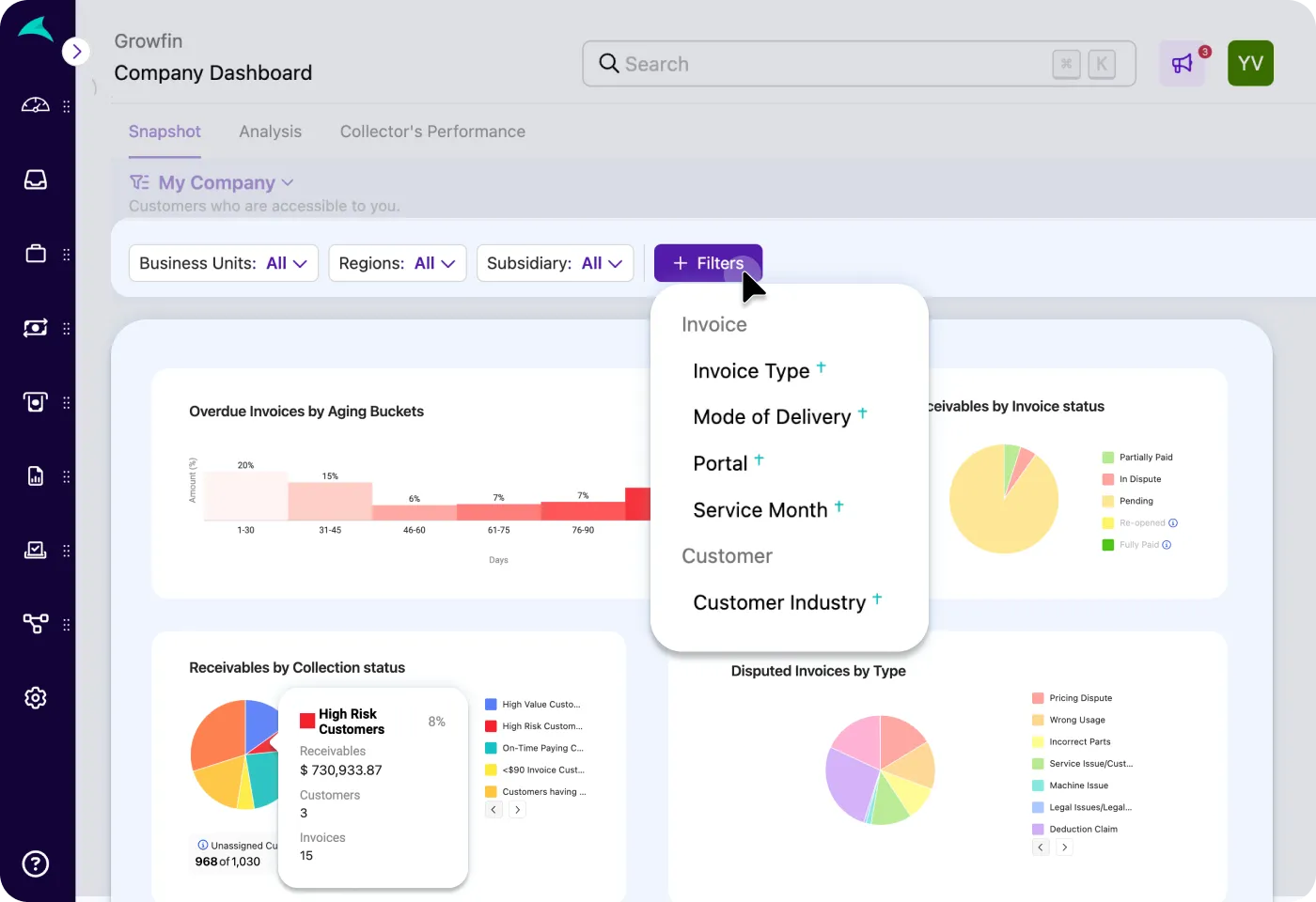
Source: Growfin
Key Features
- Advanced Integrations: Growfin streamlines the AR process by integrating enterprise-level ERPs like NetSuite, MS Dynamics, and SAP S4/HANA.
- Smart Collections: Improves cash flow with context-aware follow-ups and automated payment collections.
- Revenue Recognition: Growfin automates the cash-to-revenue process by supporting multiple payment processors and banks, including Bank of America and JPMorgan Chase.
Pricing
Growfin users a custom pricing system. To get full pricing details, contact Growfins' experts or book a demo that will walk you through the features on offer so you know what to expect.
Pros
- Automatic invoicing significantly speeds up the collection process
- Revenue recognition works with most billing methods
- Customer support is highly responsive and proactive.
Cons
- Restricted customization options
- Integrating with Slack and other CRMs can be challenging
- Lack of frequent feature updates
3. HighRadius
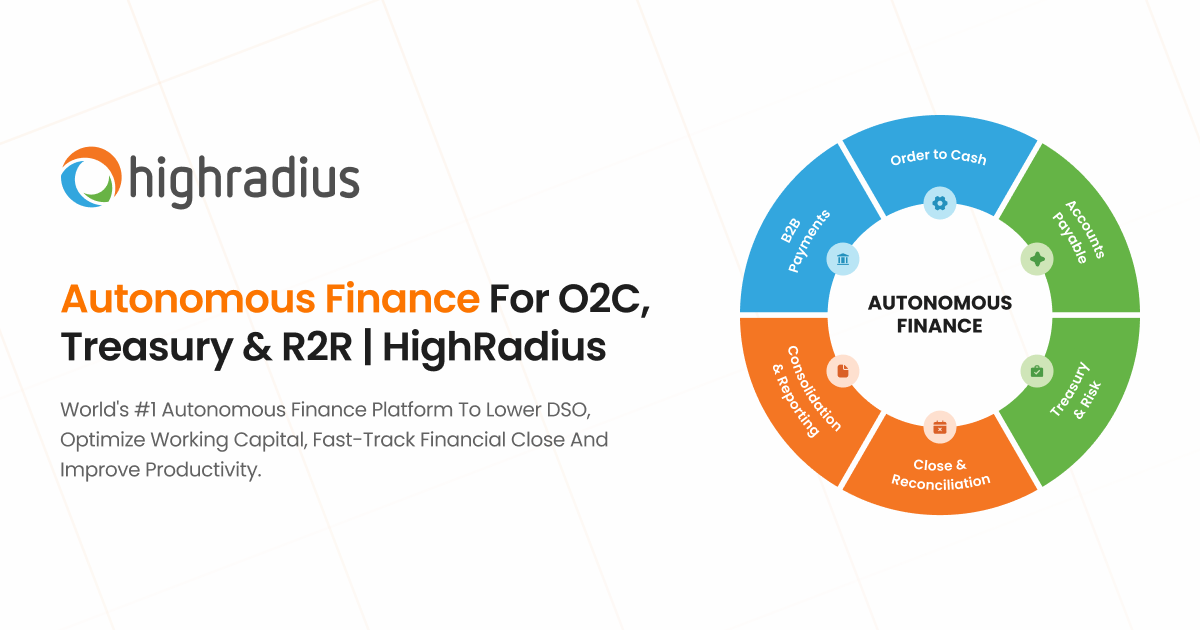
HighRadius is headlined by its AI-powered Autonomous Receivables solution that streamlines order-to-cash, treasury, and order-to-report processes. By integrating with ERP systems and using predictive analytics, HighRadius helps to improve cash flow visibility and strengthen working capital performance.
Source: HighRadius
Key Features
- Collection Management: HighRadius automates customer follow-up processes while deciding which accounts to prioritise based on risk, invoice value, and payment behaviour.
- Automated Cash Application: The platform uses AI and ML to automatically capture payments from emails, bank files, and portals and match payments to open invoices.
- Invoice Approval: AI agents help you auto-approve invoices, route those approvals, and enable in-email approvals.
Pricing
HighRadius only offers custom pricing, so you’ll need to call their pricing experts via the platform's website. There are demos and tutorial videos on the official website that give you a glimpse of their offerings before you commit to a paid plan.
Pros
- AR process automations streamline workflows
- Collection management reduces collection times and payment turnaround
- Intuitive follow-up processes allow you to handle high-priority invoices first
Cons
- Unreliable customer support
- Challenges in processing non-traditional payment formats
- Limited functionality compared to high-end competitors
4. Versapay
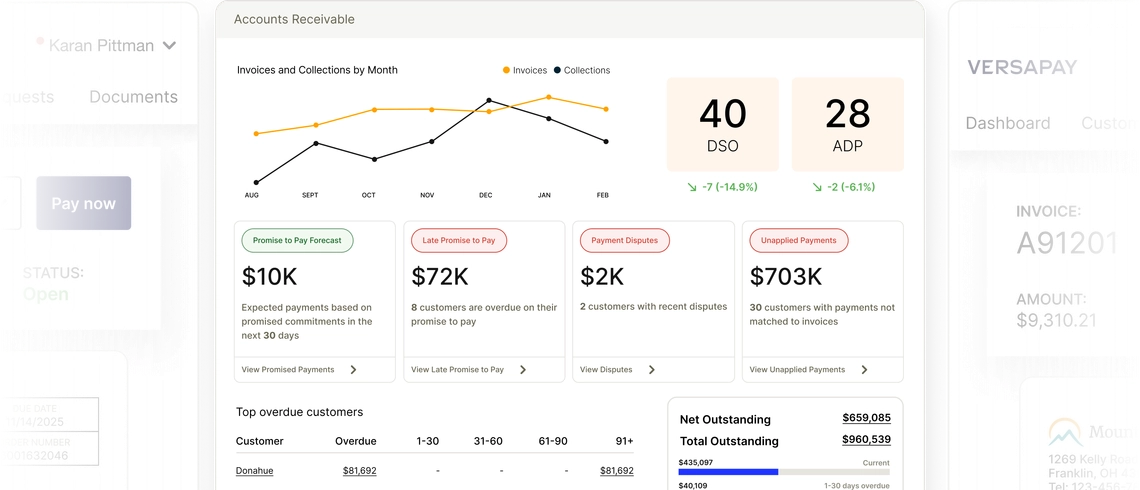
Versapay is a cloud-based AR payments platform that focuses on streamlining the entire invoice-to-cash process. The platform automates invoice delivery and payment reminders, while also offering a self-service feature that allows customers to view and pay invoices.
Source: Versapay
Key Features
- Digital Invoicing and Customer Portal: Streamlines invoice delivery while offering customers a self-serve portal to pay, track activity, and resolve issues without the need for follow-up.
- Collections Management: The platform streamlines collections by automating tasks, resolving overdue invoices, and prioritizing high-risk accounts.
- Cash Application: Versapay reduces the potential for errors in the payment process by using AI to match payment numbers with invoices automatically.
Pricing
Versapay does not provide standard pricing, so businesses must contact the team directly to obtain a customized quote.
Pros
- Customer self-service reduces the need for follow-up
- Works with ERP integrations
- Supports multiple invoicing channels
Cons
- Complex initial setup can cause problems for some users
- Unreliable customer support team
- Occasional payment delays can disrupt workflow
5. Invoiced
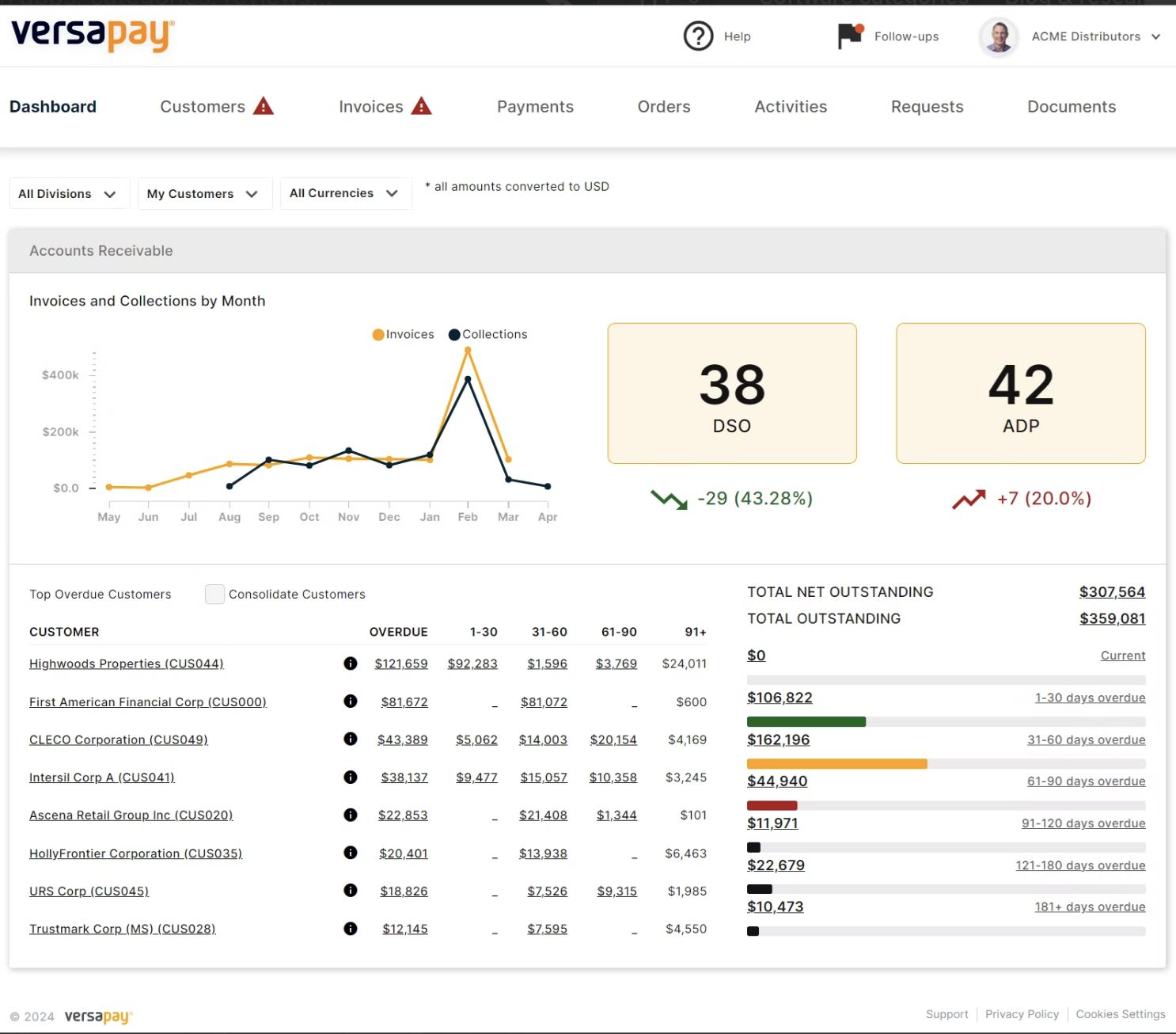
Invoiced is an AR management software that handles a wide range of tasks, including invoice delivery, payment acceptance, and collection reminders. The tool helps companies gain more visibility into their receivables and reduce manual finance workload.
Source: G2
Key Features
- Centralized Customer Management: Invoiced uses a centralized system to manage customer details like communication logs, payment history, and invoicing details.
- Payment Portals: This tool supports a wide range of payment methods, including ACH, BACs, direct debit, credit cards, iDeal, SEPA, and other alternative methods.
- Flexible Plans: Invoiced helps businesses improve cash flow by creating structured, flexible payment plans for their customers.
Pricing
This tool only provides custom pricing, so businesses will need to contact Invoiced directly to discuss a pricing plan.
Pros
- Works with niche payment methods
- Centralized system makes invoice management easier
- User interface is intuitive and easy to use
Cons
- Invoice editing can be difficult for some users
- Suite of features is not as robust as with other competitors
- Lack of true AI capability
6. Tesorio
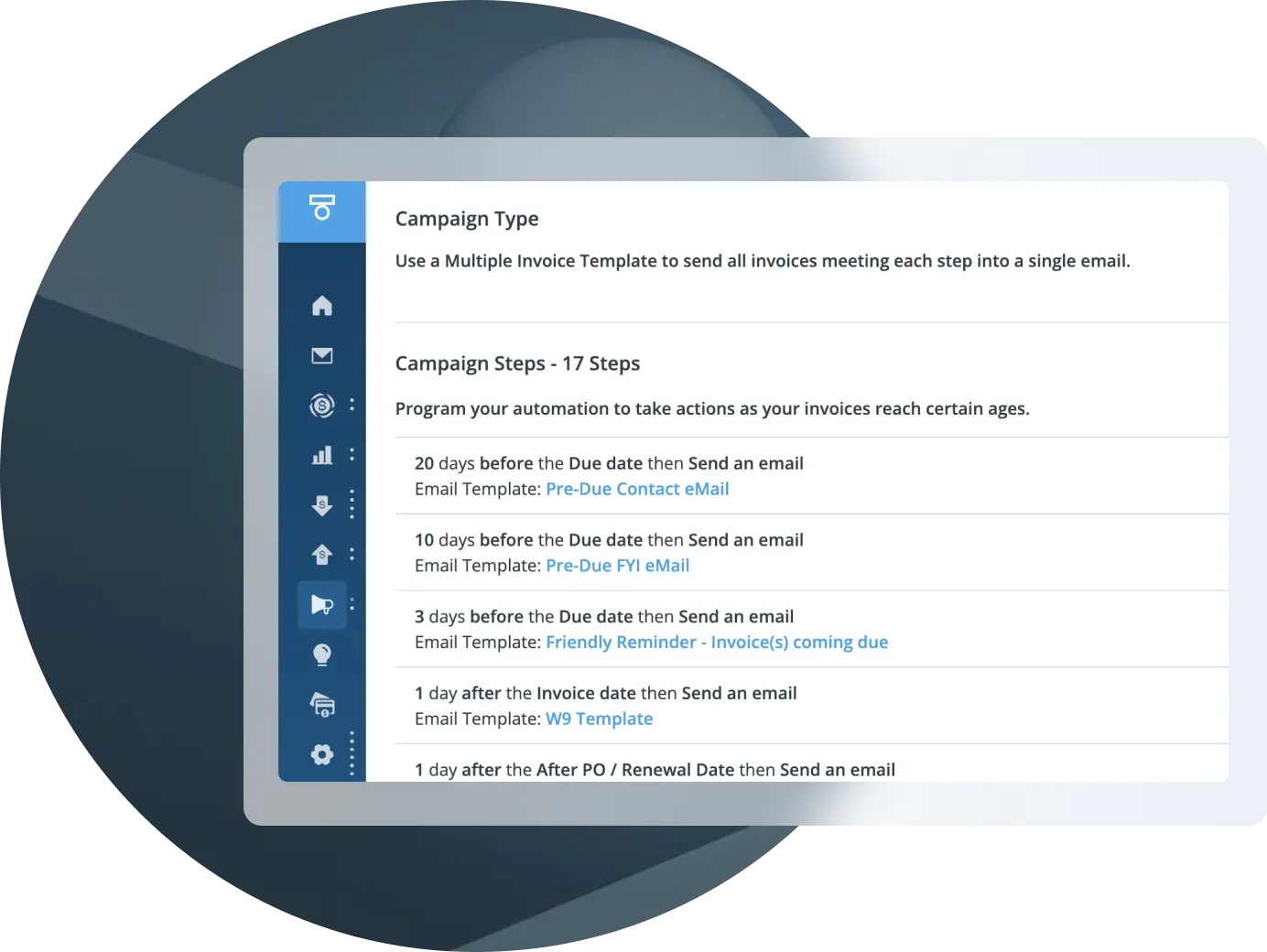
Tesorio is an AI-powered AR automation and cash flow performance tool that’s designed for mid-market and enterprise-level finance teams. It helps businesses speed up collections, reduce Day Sales Outstanding (DSO), and gain insights into their working capital.
Source: Tesorio
Key Features
- Automated Portal Invoicing: An AI agent handles the process of submitting and tracking invoices across external procurement portals.
- Invoice Matching: Tesorio automatically matches payments to the right bill to avoid any mix-ups.
- Collection Campaigns: Speeds up payments with automatic follow-ups, workflows, tailored campaigns, and targeted customer segmentation.
Pricing
Pricing plans for this tool are customized and depend on the organization's specific size, needs, and process requirements.
Pros
- Automated end-to-end invoice process improves collection efficiency
- Payment matching ensures you don’t lose track of invoices
- Seamless ERP and CRM integrations
Cons
- Email management dashboard is difficult to navigate
- Invoicing delays might slow down the collection process
7. Billtrust
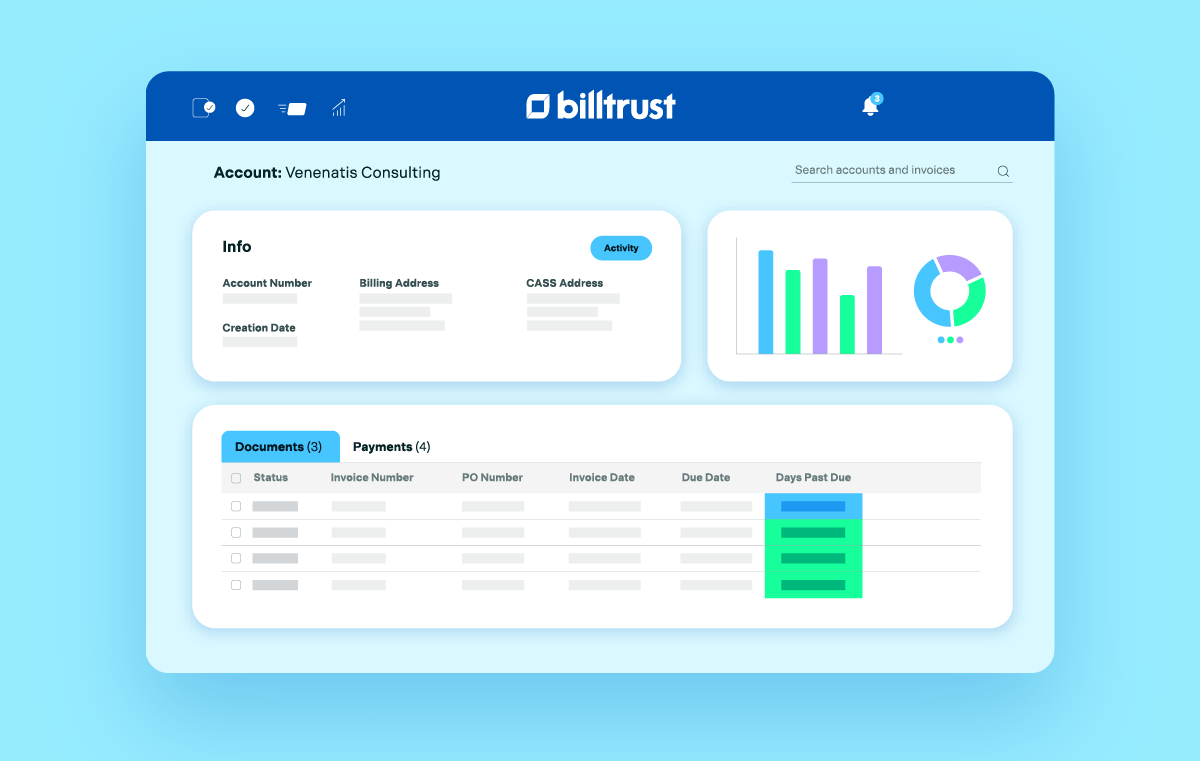
Billtrust is an order-to-cash platform that automates the entire AR process, from invoice delivery all the way through to collections and cash application. This tool uses AI and ML technology to streamline the AR lifecycle.
Source: Billtrust
Key Features
- AI Matching: Billtrust automates payment matching to ensure invoices go to the right accounts, helping to secure your accounting records.
- Automated Collections: Billtrust’s AR collection software capability combines behavioural segmentation with buyer data to create opportunities for personalized customer outreach.
- Customizable Invoices: Billtrust gives businesses the ability to tailor invoices to match their unique brand, creating an air of consistency and professionalism.
Pricing
Billtrust pricing is customized based on your business's needs. Contact Billtrust’s agents for specific pricing.
Pros
- Its user-friendly interface makes setup and access simple
- Keeps your business's brand and voice consistent across all invoices
- Automated invoice matching streamlines the accounting process
Cons
- Customer payment options are limited
- Email automation processes can be inconsistent
- Lack of comprehensive invoice processing features
8. Centime
Centime is an AP and AR automation solution designed for mid-market businesses, syncing directly with ERPs like NetSuite, Sage, and QuickBooks. The tool automates invoice delivery, branded payment portals, and customizable reminders to help reduce manual work and improve cash flow.
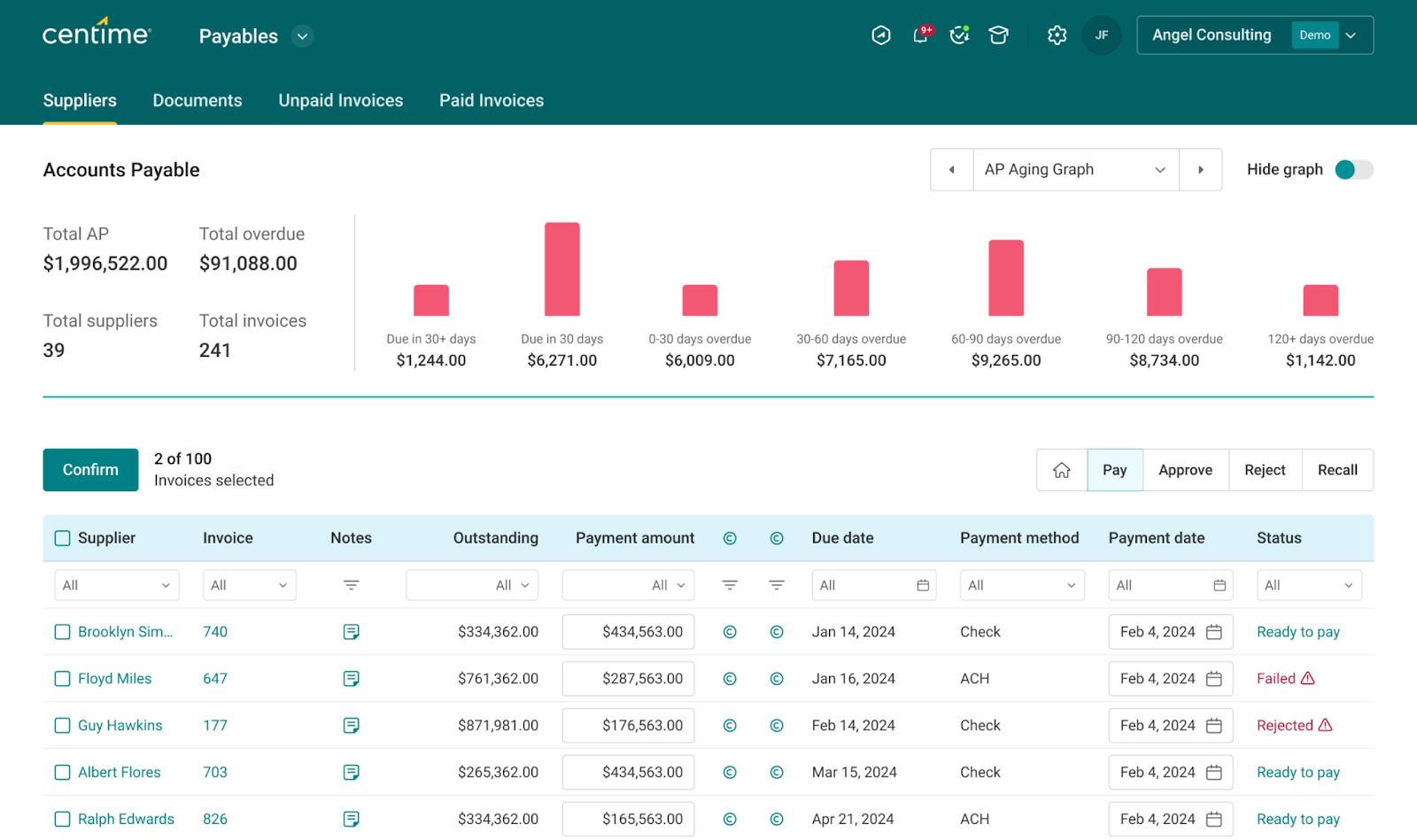
Source: Centime
Key Features
- Automated Invoice Process: Centime automates the invoice delivery, follow-ups, and escalation tasks with customizable workflows.
- Automated Collection Workflows: Combines with ERP architecture to allow users to define escalation triggers, payment-behaviour segmentation, and tailored invoice reminders.
- Comprehensive Financing Solution: Centime offers accounts payable, accounts receivable, and banking solutions all on one platform.
Pricing
Centime offers custom pricing for its AR plan based on the volume of invoices collected. Contact the company’s experts for exact pricing figures.
Pros
- Automated invoicing significantly streamlines the AR process
- Integrates with major ERPs like NetSuite and QuickBooks
- Combines Accounts payable, receivable, and banking solutions in one tool
Cons
- Doesn’t offer fully automated payment matching
- Limited compatibility with global businesses
- Dispute management is not available
9. BILL
BILL is an automated AR and AP platform that allows businesses to manage both incoming and outgoing cash flows in the same system. It offers a single workflow, login, and sync with accounting software, meaning finance teams get a broader view of cash-flow dynamics.
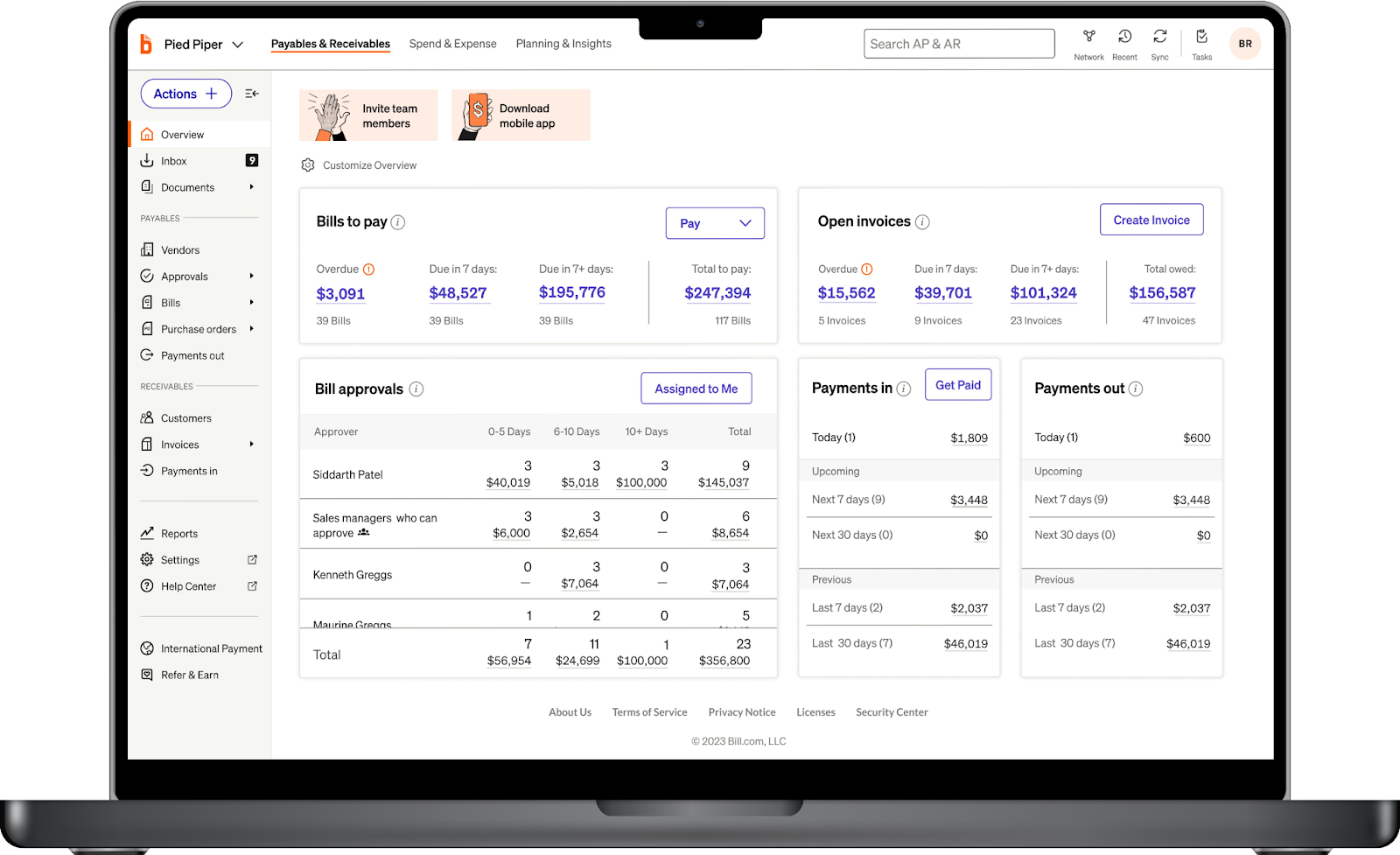
Source: BILL
Key Features
- Unified Automation: BILL helps businesses automate both AR and AP processes, giving them a more holistic view of their cash flow
- Invoice Tracking: Tracks and updates invoice status in real-time to ensure businesses are kept up to date with pending and settled payments
- Automated Payment Reminders: BILL allows businesses to set up reminders that alert customers about outstanding payments automatically
Pricing
- Essential ($45/user/mo): Offers the full suite of AR features but only manually integrates with QuickBooks and Xero.
- Team ($55/user/mo): Everything in Essential plus automatic 2-way sync to Xero and QuickBooks, and cash flow forecasting.
- Corporate ($89/user/mo): Everything in Team plus full AP and AR access and procurement features.
- Enterprise (Custom): Everything in Corporate, plus access to more ERP integrations and dedicated customer support. Contact BILL for exact pricing terms.
Pros
- Gives a unified view of AR and AP processes
- Automated invoicing feature uses a simple drag-and-drop system
- Automated payments significantly improve operational efficiency
- Transparent pricing plan
Cons
- Doesn’t offer high-end predictive analytics
- AI systems are rigid and not human-like
- Limited integrations on cheaper plans
10. Upflow
Upflow is an AR management software that promises to go beyond just chasing invoices and give businesses the tools they need for full Financial Relationship Management (FRM). In addition to automating reminder workflows and payment processes, Upflow also provides real-time AR analytics and predictive customer behavior.
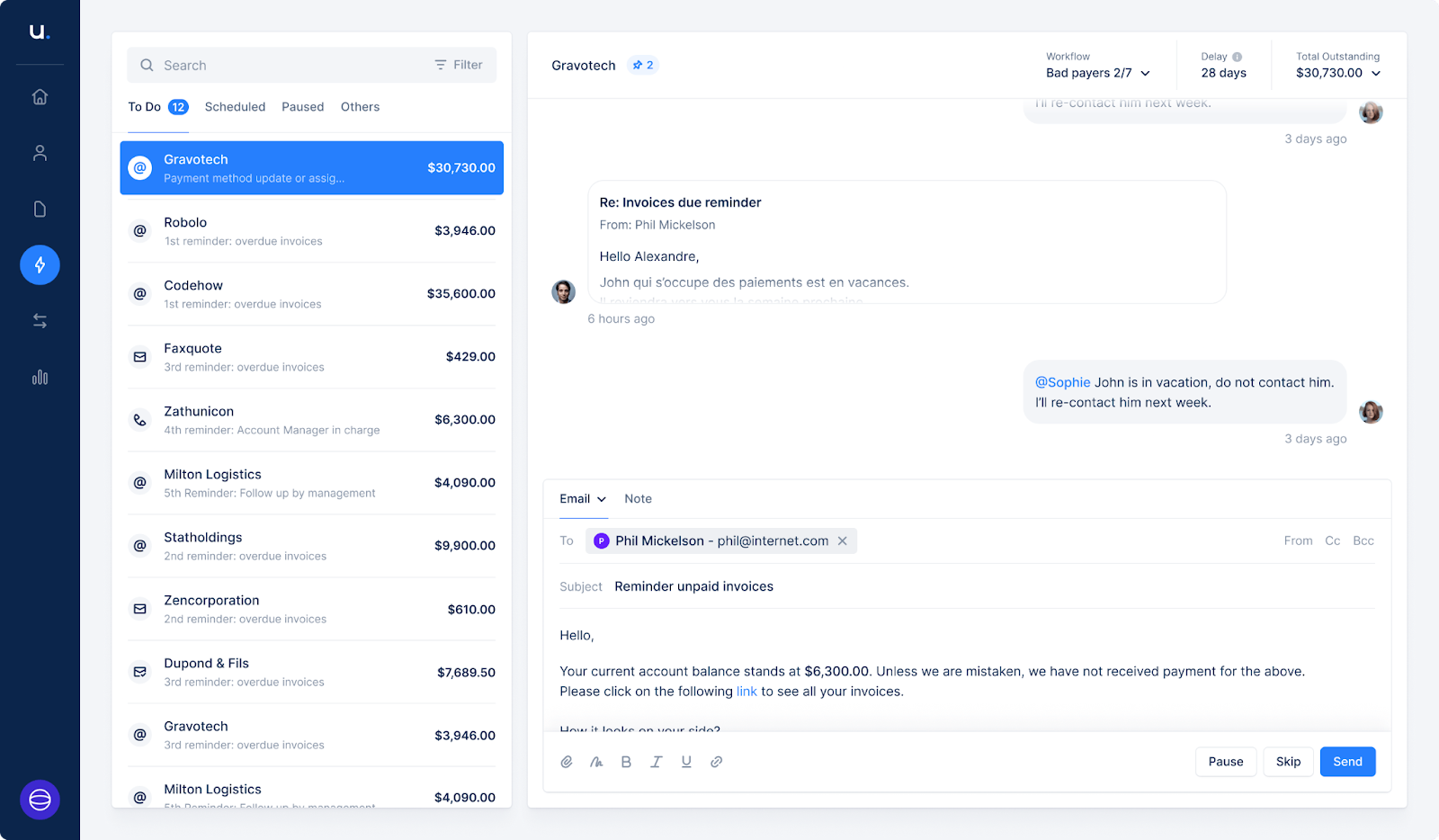
Source: Upflow
Key Features
- Cash Collection: Upflow allows businesses to personalize their payment reminders, ensuring customers get notified at the best possible time for them.
- Intuitive Payments: Businesses can provide a bespoke payment portal that’s compatible with modern payment methods that make the payment process safe and hassle-free.
- Automated Matching: Upflow helps companies eliminate the risk of payment errors and oversights with automated invoice-to-payment matching.
Pricing
Upflow’s pricing begins with a free AR software for teams trying out AR automations for the first time, then scales to paid plans with custom pricing depending on the size of your company. You’ll need to contact Upflow’s experts for pricing details.
Pros
- Automated payment reminders
- Quick integrations with existing systems
- Real-time analytics improve visibility
Cons
- Less suited for enterprise-level AR setups
- Fewer payment collection features than the top competitors
- Limited report customization features
11. Plooto
Plooto is a combined automated AR and AP tool that’s ideal for small and mid-sized businesses. It simplifies manual growth and payment processes, leaving finance teams free to focus on strategic growth tasks.
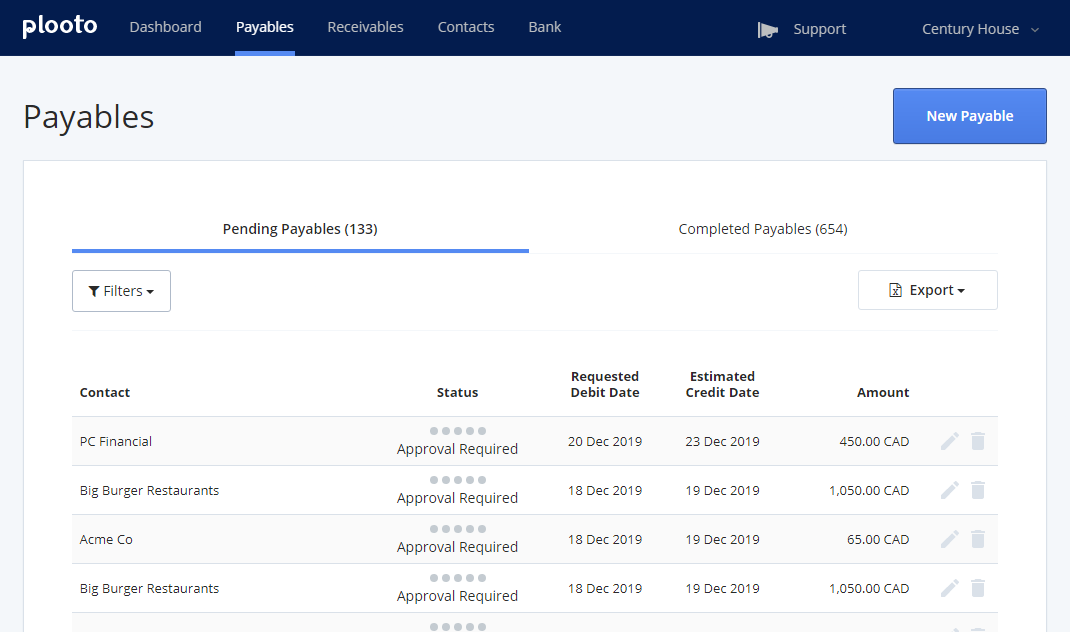
Source: Plooto
Key Features
- Custom Approvals: Create a workflow that matches your business and clients' needs by customizing every step of the AR process.
- Borderless Payment Processing: Plooto simplifies the process of managing international transfers, approvals, tracking payment status, and generating reports.
- AR and AP automation: Plooto allows businesses to fully manage their working capital on a single profile by automating both AR and AP processes.
Pricing
- Go ($9/month): This plan is best for small businesses managing low client volume payments with basic approval workflows.
- Grow ($32/month): This plan allows businesses to scale their payment and approval operations with custom workflows.
- Pro ($99/month): This plan is ideal for businesses with complex or global payment operations and includes NetSuite integration capability.
Plooto also offers a 30-day free trial that gives you unrestricted access to the platform's features before deciding on a subscription
Pros
- User-friendly interface improves accessibility for smaller teams
- Supports online payment links and recurring payments
- Automatic reconciliation speeds up the invoicing life cycle
Cons
- Fewer advanced automation features than competitors
- Doesn’t support advanced analytics and other AR-specific features
12. Quadient AR by YayPay
Quadient is an AR automation solution designed to help B2B finance teams automate their credit-to-cash cycle. The platform helps streamline everything from invoicing and credit checks to collections and cash applications.
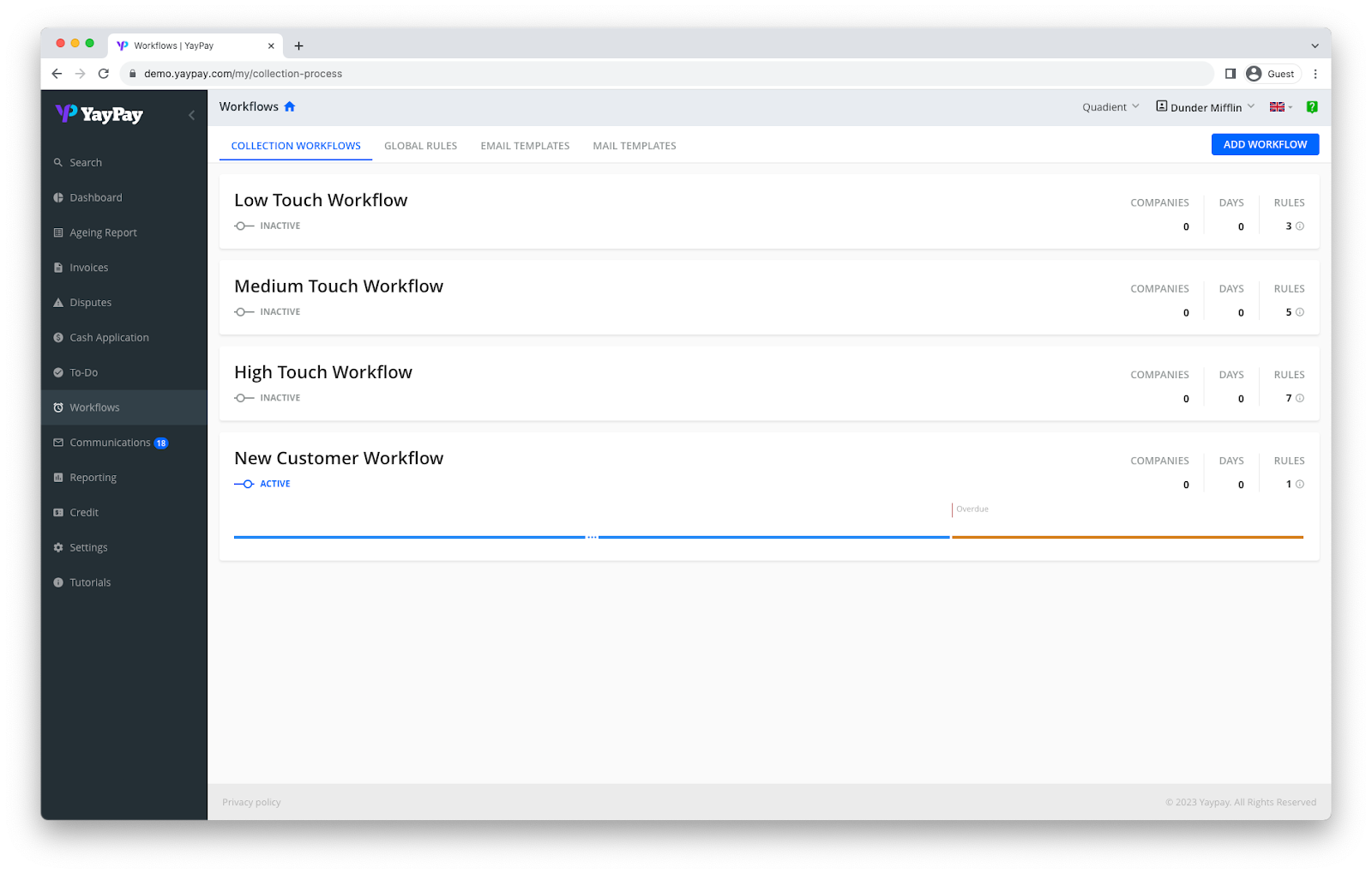
Source: Quadient
Key Features
- Collections Management: Enable smooth, multi-channel outreach with automated reminders at each stage to accelerate account resolution.
- Tailored Invoice Delivery: Quadient AR ensures invoices are delivered to the right customer at the right time and in their preferred format.
- AI Insights and Analytics: With Quadient AI, businesses can curate a collection strategy based on predicted user behaviours and improve cash flow management with 94% forecast accuracy.
Pricing
Quadient offers a custom pricing system that requires businesses to contact their support team for specific pricing details, depending on the solutions they’re interested in.
Pros
- Strong automation that streamlines AR processes
- Advanced visibility and analytics
- Integrates with over 6 ERPs
Cons
- More costly than other tools due to enterprise-level features
- Harder to use for smaller businesses
13. Chaser
Chaser is a cloud-based AR collection software that helps B2B companies streamline payment collection processes and manage cash flow. The platform automates multi-channel reminders, segments and prioritizes account payments, and integrates seamlessly with ERP systems.
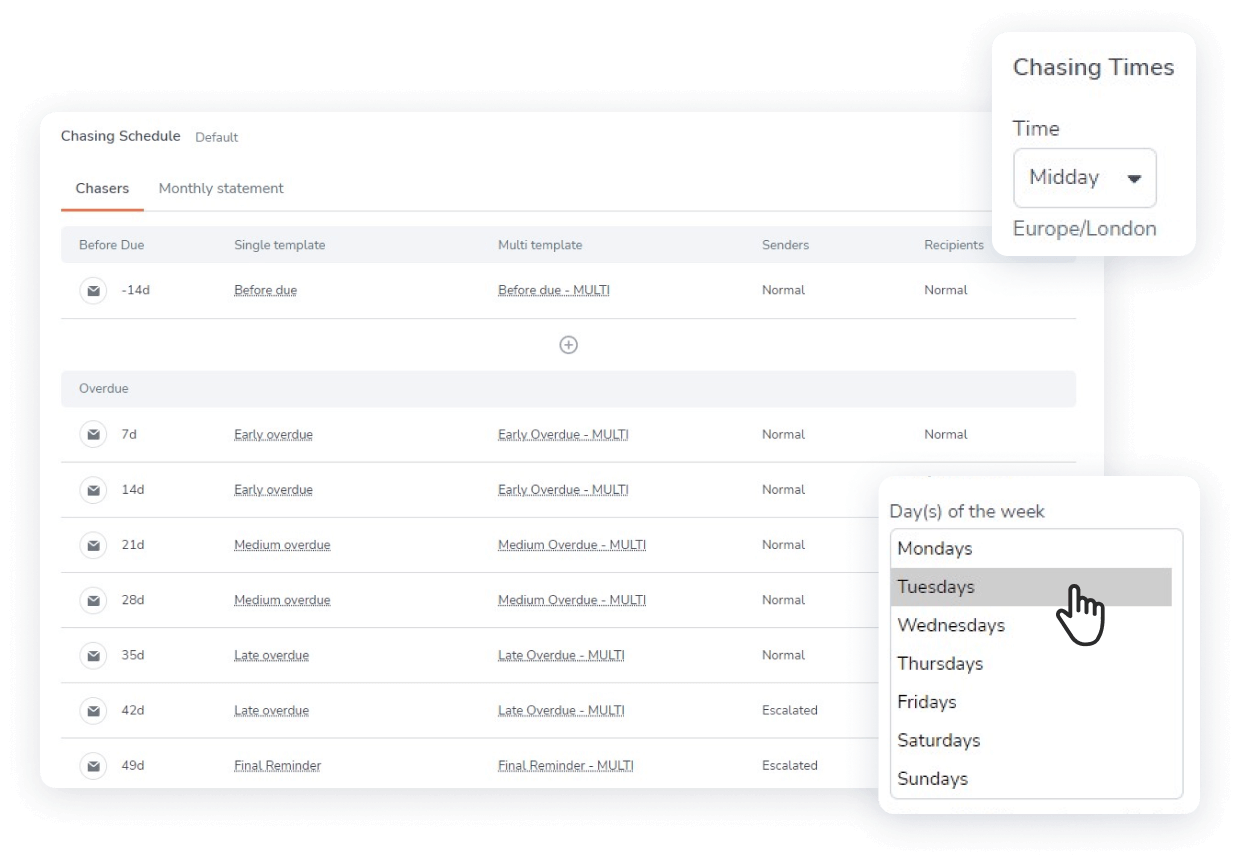
Source: Chaser
Key Features
- AI-assisted Follow-ups: Chaser uses ML to help you decide when customers are most likely to respond and tailors communication timing accordingly.
- Multi-channel Automated Chasing: Beyond email, Chaser also supports SMS reminders, postal letters, and automated debtor calls built into your workflow.
- Flexible Integration with ERP Systems: Chaser integrates with multiple ERP systems, meaning you won’t have to rip up your existing stack.
Pricing
- Compact ($180/month when billed annually): This plan is for small businesses with a total annual revenue of less than $5 million. It gives limited user access (up to 4 users), follow-up templates, and automated receivables workflows.
- Core ($490/month when billed annually): This plan is for small to mid-sized businesses with a total annual revenue of less than $13 million. It gives unlimited user access, follow-up templates, automated receivables workflows, and multi-entity support.
- Complete ($900/month when billed annually): This plan is for large businesses with a total annual revenue of up to $120 million. It includes everything in Core, plus advanced customer support services.
- Custom: This plan offers custom pricing for businesses with an annual revenue above $120 million.
- Care: This is a custom pricing plan that unlocks the full suite of AI-powered AR optimizations, dispute and query handling, a supporting human AR specialist, and full Chaser platform access.
Each plan comes with a demo to help you get used to the features before committing.
Pros
- Intuitive AI-assisted collections
- Wide integrations mean fewer mismatches between systems
- Compatible with multiple customer communication formats
Cons
- Heavy reliance on no-reply chasers can feel impersonal and reduce engagement.
- Initial setup of automation rules and workflows involves a learning curve
- Lack of enterprise-level advanced features on most plans
- Workflow customization is less advanced than competitors
14. Gaviti
Gaviti is a modern AR automation platform designed mainly for B2B finance, credit, and collections teams. It streamlines the entire invoice-to-cash process, from invoice ingestion and collections workflows to dispute management, cash application, and analytics.
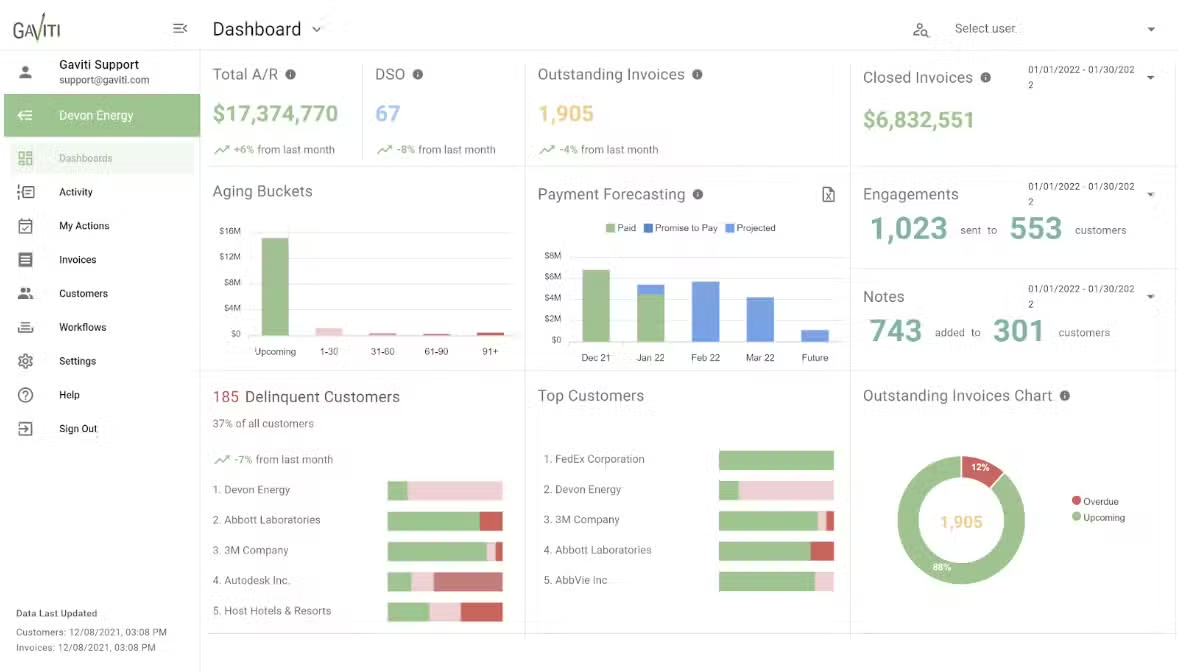
Source: Gaviti
Key Features
- Gaviti AI: Gaviti’s AI-powered assistant can generate full AR workflows from scratch, optimize collection communication, and predict late payments before they happen.
- Invoice Management: Gaviti helps businesses manage their invoices to avoid missed payments or follow-up opportunities.
- Advanced Customization: Gaviti allows you to tailor your workflows, messaging, and dashboards to your business without needing to change your process to fit the software.
Pricing
Gaviti offers custom pricing depending on your business's industry and the solutions you’re interested in. Get a price quote on Gaviti’s official website or contact their experts for full pricing details.
Pros
- Bespoke AI solutions
- Customizable reports and unified data across ERPs
- Advanced visibility with real-time dashboards
Cons
- Lack of project-level billing contacts
- Limited payment portal options
- Complex setup process, especially for newer AR platform users
15. BlackLine
BlackLine is a financial operations platform that streamlines and consolidates tasks throughout the entire AR and order-to-cash cycle. This includes account reconciliations, transaction matching, automating journal entries, managing intercompany activities, and handling invoice workflows.
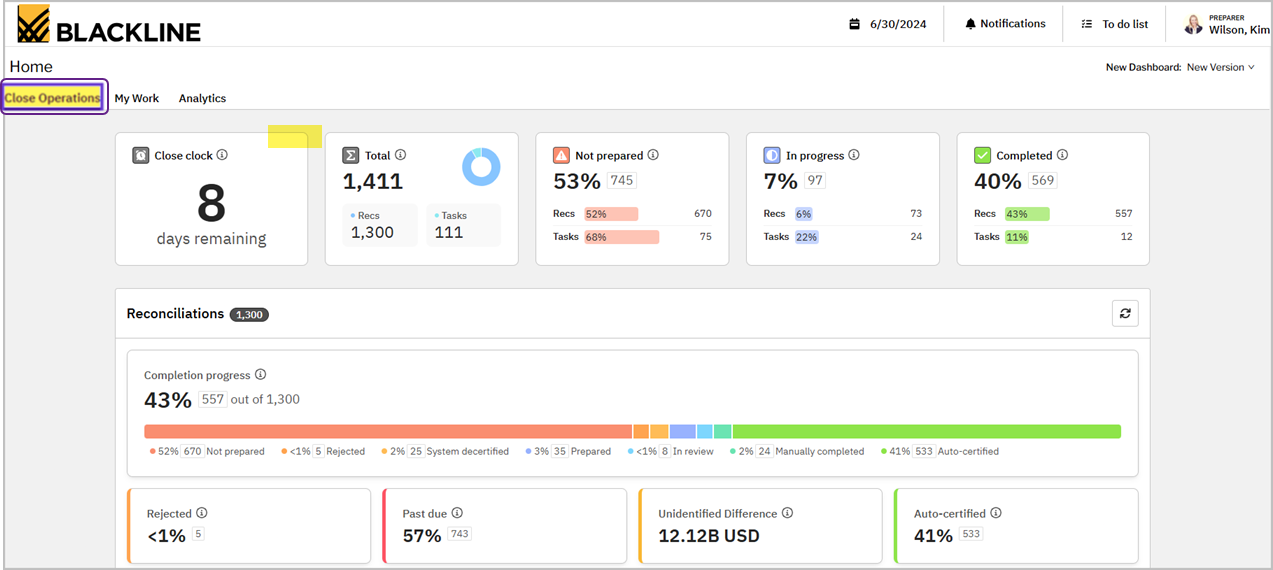
Source: G2
Key Features
- AR Analytics: BlackLine delivers real-time business insights that allow finance teams to make more informed decisions based on key performance metrics.
- Forecast Payments: Track customer behaviours and payment trends and predict weekly cash flows using intuitive dashboards and AI.
- AI-assisted Payment Analysis: Evaluate the overall effect of extended payment terms on cash flow and DSO, and monitor how customers pay in relation to the agreed terms.
Pricing
BlackLine uses a custom pricing system, meaning you’ll need to contact the platform's experts to get full pricing details.
Pros
- Customizable task management
- Automated reconciliation process
- Advanced payment analytics
Cons
- Limited transaction matching functionality
- Difficulties in platform setup and usage
16. Esker
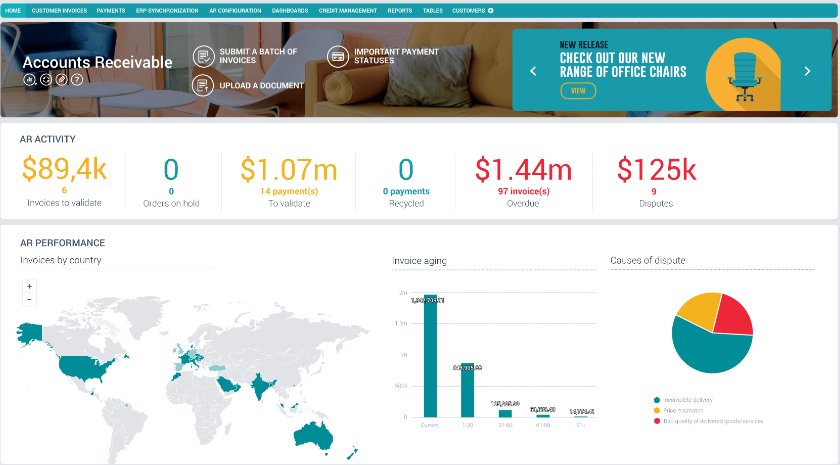
Esker is a cloud platform that handles both the order-to-cash and source-to-pay sides of finance operations. Its AR suite covers credit management, invoice delivery, cash application, dispute resolution, and collections, all powered by Esker Synergy AI.
Source: Esker
Key Features
- Esker Synergy AI: Combines generative AI, machine learning, and NLP to capture data from AR documents, suggest replies to customer messages, and surface predictive insights.
- Credit Management: Automates credit applications, risk scoring, and continuous monitoring of customer creditworthiness.
- Cash Application: AI-assisted matching of incoming payments to open invoices across email, lockbox, and portal sources.
Pricing
Esker uses an all-inclusive annual subscription model with no published rates. Buyers should expect enterprise-level pricing with implementation fees on top.
Pros
- Named a Leader in the 2024 Gartner Magic Quadrant for Invoice-to-Cash Applications
- Unified platform spans both AR and AP, which simplifies vendor management
- Strong cash application module with proven multi-channel ingestion
Cons
- Interface can feel complex and has a steep learning curve for new users
- Customization often requires technical skills, limiting flexibility for non-technical teams
- Enterprise pricing makes it a poor fit for smaller finance teams
17. Tabs
Tabs is an AI-native revenue automation platform built for B2B SaaS and services companies. Its standout capability is contract ingestion: the AI reads signed contracts and order forms, extracts billing terms, and automatically generates invoices.
Source: Tabs
Key Features
- AI Contract Ingestion: Reads MSAs, order forms, and amendments to extract billing terms and generate invoices without manual data entry.
- Revenue Recognition: Automated ASC 606 and IFRS 15 calculations synced directly to your ERP.
- Collections Automation: Dunning workflows with AI-drafted reminders and personalized escalation emails based on customer context.
Pricing
Tabs uses custom pricing based on AR volume with annual contracts and no free tier. Contact Tabs for a quote.
Pros
- Contract-first approach eliminates billing reconciliation against signed terms
- Strong fit for SaaS finance teams managing complex enterprise contracts
- Reviewers consistently praise ease of use and responsive support
Cons
- The reporting module is basic compared to dedicated AR analytics platforms
- No customer self-service portal for managing billing or subscriptions
- Localization support is limited outside core markets
18. Paystand
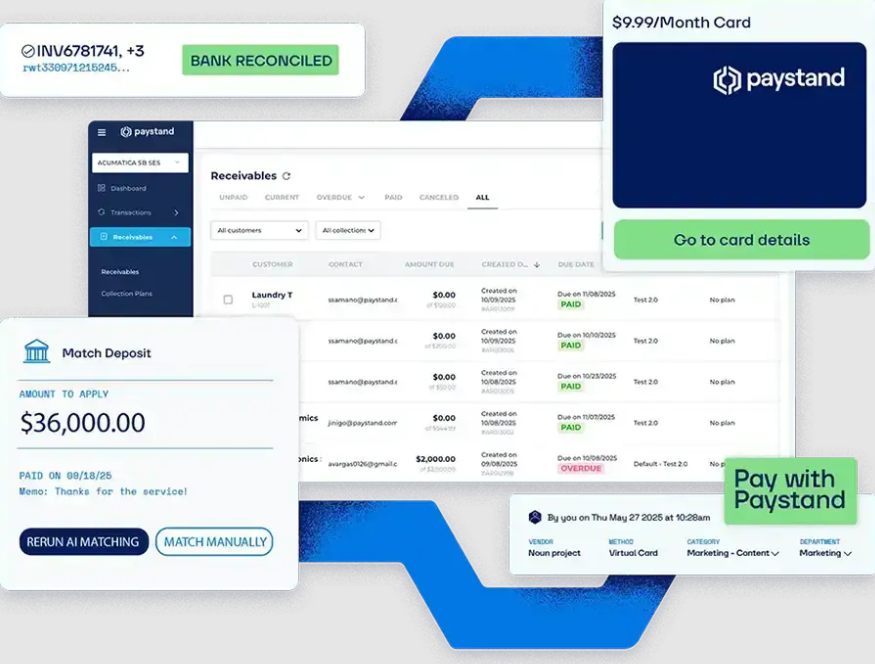
Paystand is a B2B payments and AR automation platform built around a zero-fee payment network. Customers can pay through Paystand's proprietary network without transaction fees, making it appealing for finance teams trying to reduce payment processing costs.
Source: Paystand
Key Features
- Zero-Fee Payment Network: Eliminates transaction fees for payments routed through Paystand's network.
- Automated AR Workflows: Handles invoicing, reminders, and collections without manual intervention.
- Embedded Payment Links: Customers can pay directly from invoices without navigating to a separate portal.
Pricing
Paystand uses a flat subscription model rather than per-transaction fees. Pricing varies by transaction volume and feature access.
Pros
- Zero-fee payment rail can deliver meaningful cost savings at volume
- Recognized as a G2 Mid-Market Leader for Accounts Receivable
- Strong ERP integrations with measurable DSO reductions reported by customers
Cons
- The dashboard and analytics interface need improvement
- Customer support response times can be slow
- International payment options are limited compared to global-first competitors
19. Sage Intacct AR
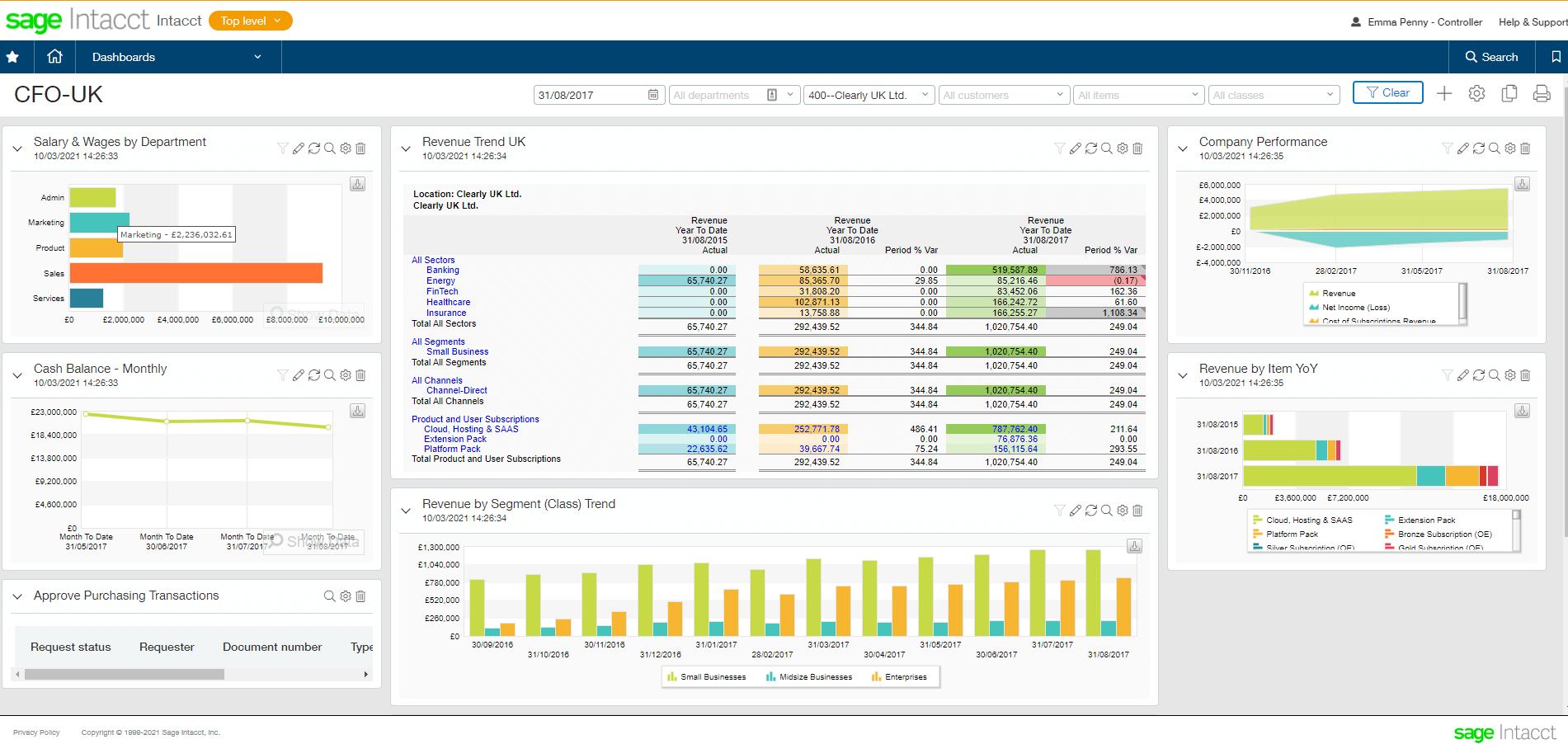
Sage Intacct is a full cloud financial management platform with native AR functionality built into the core product. It's not a standalone AR tool but a complete financial system that offers AR automation alongside general ledger, AP, cash management, and revenue recognition.
Source: Sage Intacct
Key Features
- Automated Invoice Delivery: Generate and send invoices automatically, with support for recurring billing.
- Configurable Collections: Set up reminder cadences and case ownership rules that match your team's structure.
- Customer Health Insights: Monitor account health and risk signals directly on customer records.
Pricing
Sage Intacct uses custom pricing with a base subscription typically starting around $400-$800 per month for core modules, with implementation fees usually matching annual subscription costs.
Pros
- The only financial management system endorsed by the AICPA
- Deep multi-entity, multi-currency, and revenue recognition capability
- Open API platform that connects to Salesforce, Bill.com, ADP, and other best-of-breed tools
Cons
- AR automation is good but not as deep as dedicated AR tools
- Implementation can take months and adds significant cost
- Not built for heavy inventory or manufacturing operations
20. Emagia
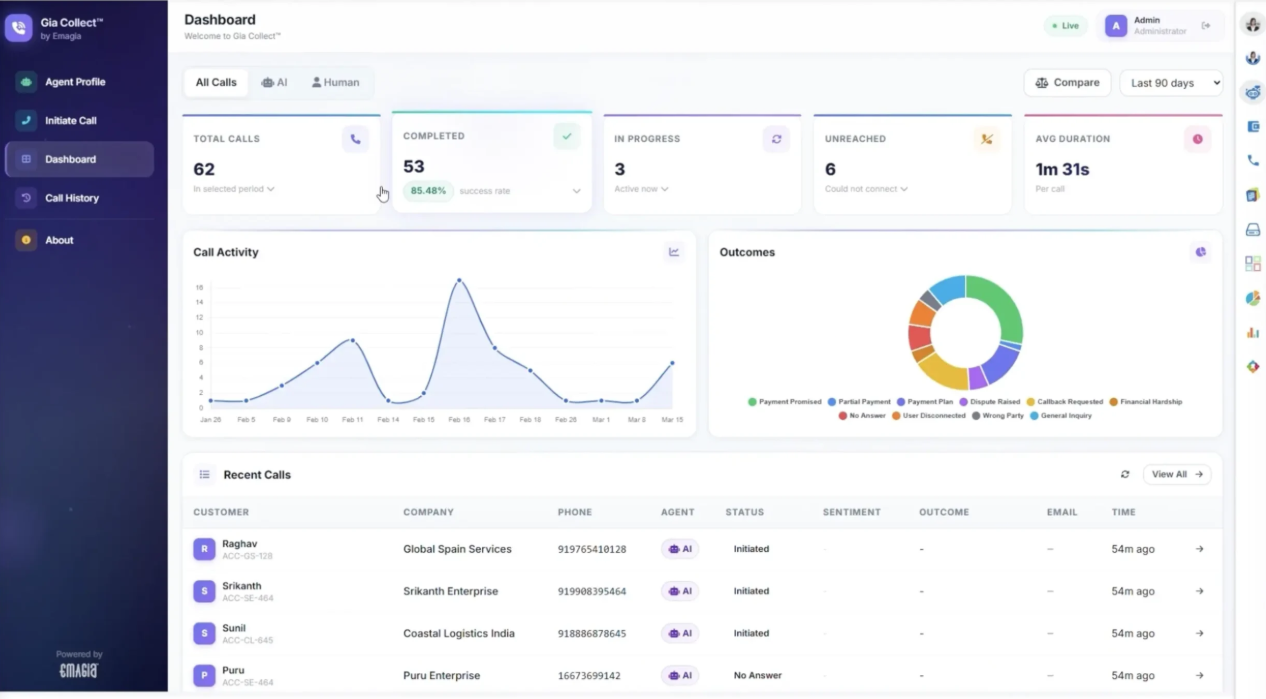
Emagia is an AI-powered AR automation platform aimed at enterprise finance teams. It's strongest in cash application, where its AI claims 95%+ touchless straight-through posting rates by extracting remittance data from emails, lockbox files, and portals across multiple languages and currencies.
Source: Emagia
Key Features
- AI Cash Application: Extracts and matches remittance data across formats and currencies with high auto-match rates.
- Gia Digital Assistant: AI-powered virtual assistant that automates routine AR tasks and surfaces predictive insights.
- Credit Risk Management: Continuously monitors customer creditworthiness and automates credit decisions.
Pricing
Emagia uses custom pricing based on modules, transaction volume, and user count. Contact Emagia for a quote.
Pros
- Named a Major Player and Leader in IDC MarketScape for AR Automation
- Strong cash application performance with proven touchless posting rates
- Built for global, multi-ERP enterprise environments
Cons
- Requires extensive training and a long implementation cycle
- Not ideal for small businesses or simple AR workflows
- Thin G2 review volume relative to other enterprise AR platforms
How To Choose The Best AR Automation Software
Choosing the best AR automation software can be tricky, especially for companies new to AR software that don’t know what to look for. To make your decision easier, we’ve highlighted the four main factors to consider.
1. Ensure Full Automation Capability
The best AR automation software streamlines the full invoice-to-cash process, not just specific parts of it. Make sure you select a tool that automates invoice matching, customer follow-ups, and payment collections, so your finance team doesn’t have to worry about the AR process.
2. Check Integration and Compatibility
It’s important to select a platform compatible with your current workflow to save time adjusting to new software. Ensure the tool you choose integrates smoothly with your existing ERP, CRM, and payment portal.
3. Consider Pricing and Transparency
An AR automation platform with clear pricing and detailed feature lists for each plan can save you time and frustration. Also, look for tools that offer free AR software trials or demos so you can test or view the features before choosing a plan.
4. Verify Privacy and Security Compliance
High-end security is essential for AR automation software, especially since these systems manage sensitive financial and customer data. Only choose software with end-to-end encryption, user access controls, and role-based permissions. It must also adhere to GDPR, CCPA, and other regional privacy standards.
FAQs
What features should you look for in AR automation software?
- End-to-end automation across invoicing, payment collection, and cash application.
- Strong ERP and CRM integration is essential so the tool fits into your existing workflow without requiring you to rebuild around it.
- AI coworkers for customer communication and mundane functions separate next-generation tools like Lunos from legacy rule-based automation.
- Lastly, pricing transparency, real-time analytics, and security compliance are consistent must-haves.
Is AR automation worth it for small businesses?
Yes. Small finance teams gain the most from automation because every hour saved on manual chasing goes straight back into higher-value work. Tools with pay-as-you-go pricing (like Lunos) or low-tier monthly plans (like Plooto) make AR automation accessible without enterprise commitments.
How does AI-driven AR differ from traditional automation?
Traditional automation follows fixed rules: send a reminder X days after the due date, escalate after Y days. AI-driven AR reads customer context, adapts to behavior, and handles two-way conversations. The difference is between a tool that runs a script and a coworker that understands what's happening on each account.
How long does it take to implement AR automation software?
It depends on the tool and your setup. Lightweight platforms with native ERP connectors (like Lunos, Upflow, or Plooto) can go live in days to weeks, while mid-market tools usually take 4-8 weeks once integrations and data migration are factored in, and enterprise platforms often require 3-6 months due to their volume and scale. It's important to ask vendors for a realistic implementation timeline based on companies of your size, not the best-case scenario.
Will AR automation replace my finance team?
No. AR automation handles the repetitive parts of the job: sending reminders, matching payments, generating invoices, and tracking who owes what. Strategic work like negotiating payment terms, managing customer relationships, handling complex disputes, and forecasting cash flow still needs people. AI coworkers like Lunos take routine outreach off your plate so the team can focus on higher-impact work.
Automate Your Workflow With Lunos AI
AR automation software has enabled businesses worldwide to streamline their financial workflows by removing manual AP processes. This allows finance teams to concentrate on strategic tasks that directly impact revenue growth.
However, the next level of AR automation combines AI efficiency with humanized communication. That’s where Lunos AI coworker stands out, providing finance teams with a reliable member who can quickly handle multiple AR tasks and also build genuine personal connections with customers. Sign up with Lunos today and add a helpful AI agent to ease the workload on your finance team.
Make your receivables effortless and focus on what you do best